Page 1 of 20
Welcome to AMPLE
What AMPLE is, how a song is built from blocks, and a tour of the window.
AMPLE is a place to make songs out of blocks. One block plays chords, another plays drums, a third plays a bass line; cables carry notes and sound from one block to the next, and in the end everything arrives in one mixer and one master, which is the song you hear.
What makes AMPLE different is that a song is just text. The picture of blocks and cables that you see is drawn from a small text file, and if you change the text, the picture changes. Because of that, a song can be saved, compared and brought back like any other text, and two builds of the same song with the same seed sound exactly the same.
The big idea in four words#
- Block: a part of the song that makes or changes sound.
- Connection: a cable from the output of one block into the input of another.
- Build: AMPLE makes the sound of every block that is out of date.
- Play: you listen to the result.
That is all of it. The rest of AMPLE is about the many kinds of blocks and the many ways to shape them.
A tour of the window#
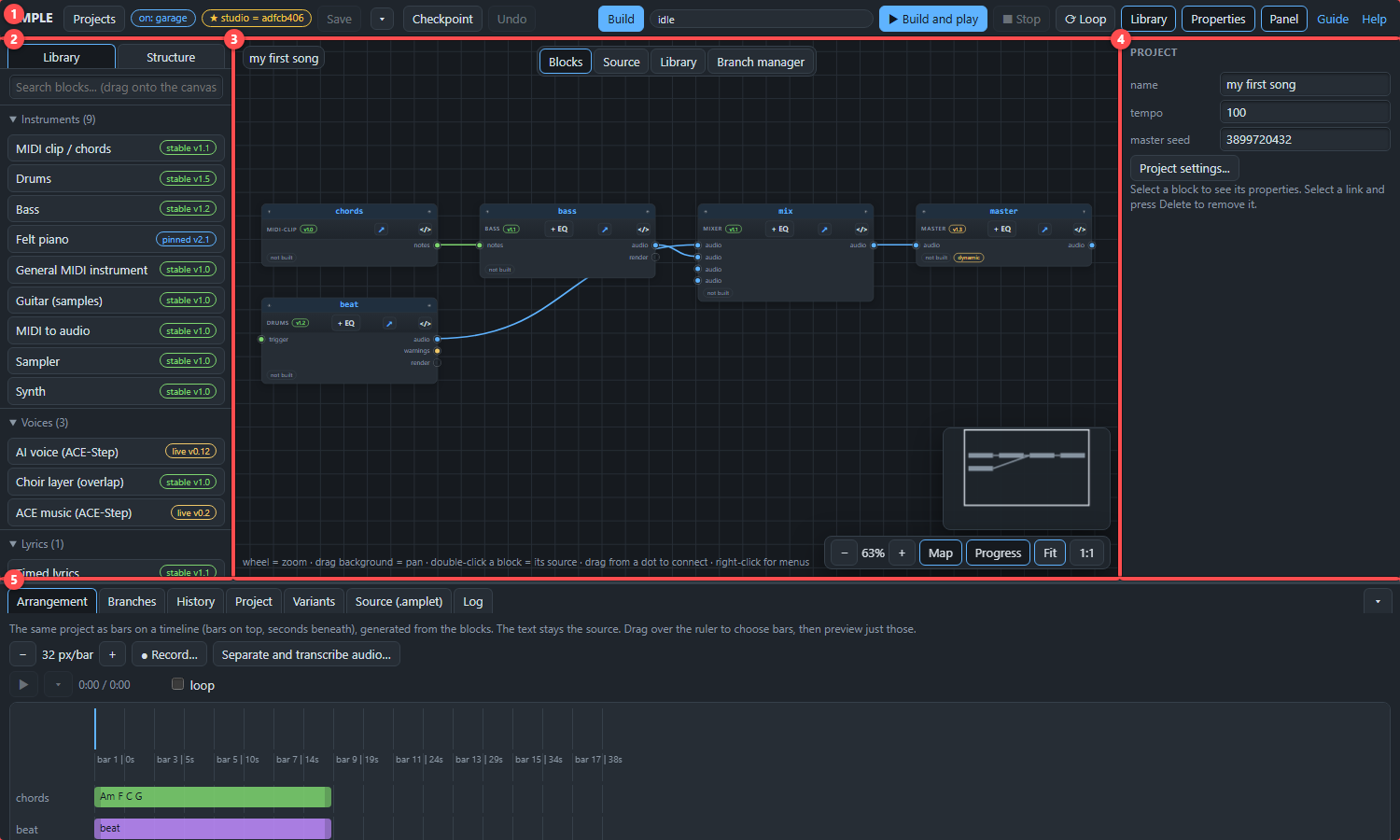
- The header (top). Here are the buttons you use all the time: Build, Play, Stop, Loop, Save and Undo, and a small label that tells you which version line you are working on.
- The library (left). The list of block types you can add. Drag one onto the canvas, or double-click it.
- The canvas (middle). The node editor: your blocks and the cables between them. The tabs above it switch to the Source view (the same song as text) and to other views.
- The properties (right). Select a block and its settings appear here.
- The bottom panel. Tabs for the Arrangement (the song along a timeline, counted in bars), the revision History, your Project files, the Source text and the build Log.
Where to go next#
Make your first song in Your first song. If a word is new to you, hover over it: words with a dotted underline are explained in the dictionary.