Page 19 of 20
Share a song as a package
Save a song with everything it needs in one file, and open it on another computer.
A song is a text file, but it reads other files: samples, SoundFonts, sequence files. Copy only the text to another computer and the sounds are missing. A package (a .ampletx file) puts the song and everything it needs into one file.
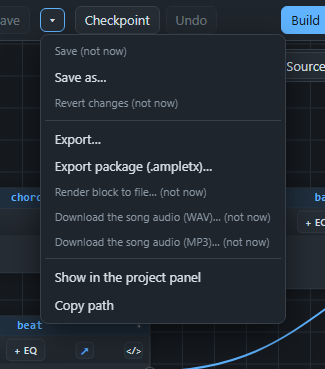
Make a package#
Save the song first. A package is made from saved files only, and AMPLE tells you if the song, or any other song or module of the project, still has changes that are not saved.
- Open the arrow next to Save and choose Export package (.ampletx)….
- Look at what goes in. AMPLE builds the song once to find out.
- Press Export package. The file appears in the folder
exportsof the project. An existing package is never overwritten.
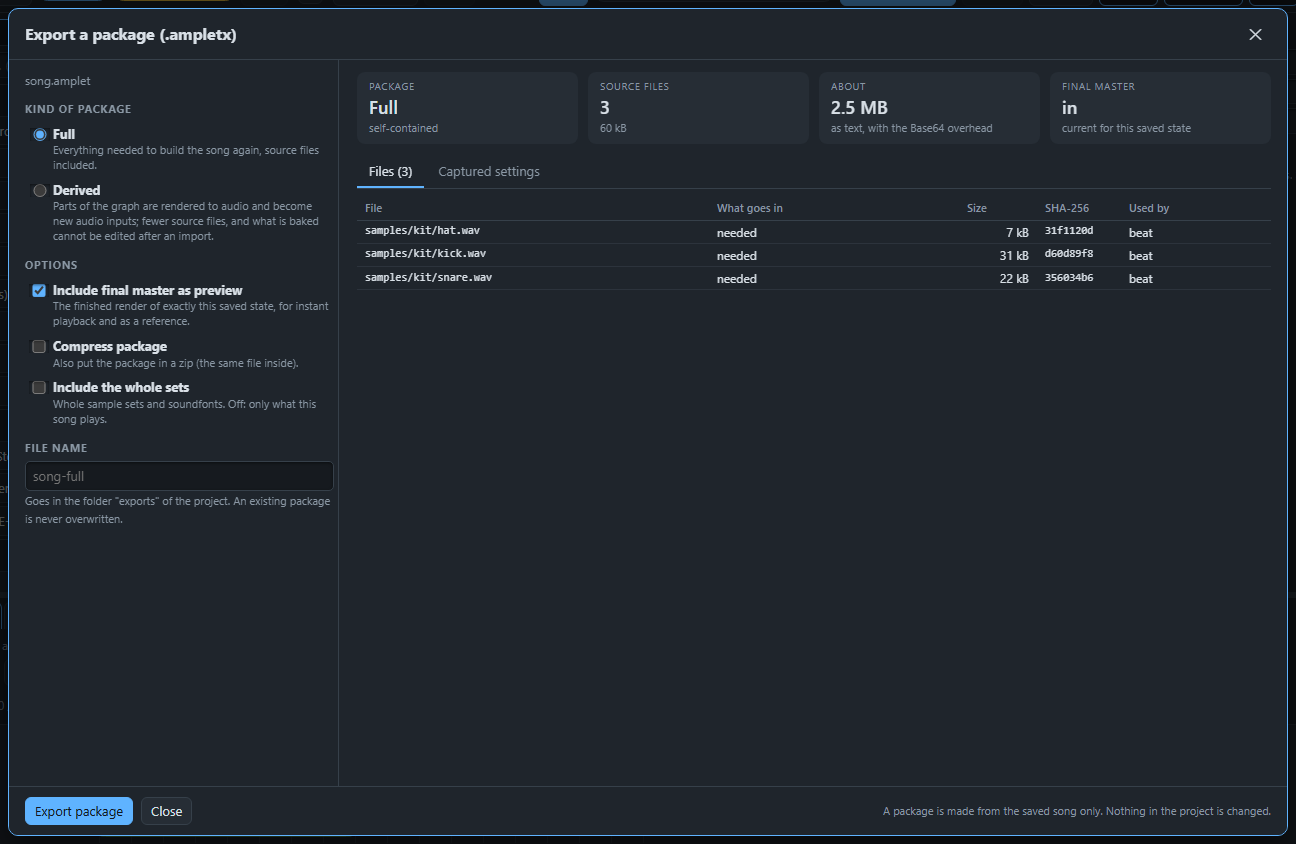
By default only what the song really plays goes in: of a big SoundFont only the instruments the song uses, of a sample set only the samples that were played. Tick Include the whole sets to take everything.
Full or Derived#
A Full package holds the song and every file its blocks read. You can open it, build it again and change anything.
A Derived package is smaller. Parts of the song are turned into audio files, and the blocks before them are not in the package. What you get is the end of the song plus the sound it received. Use it when you want to share a result and let the other person change only the last part, for example the mix.
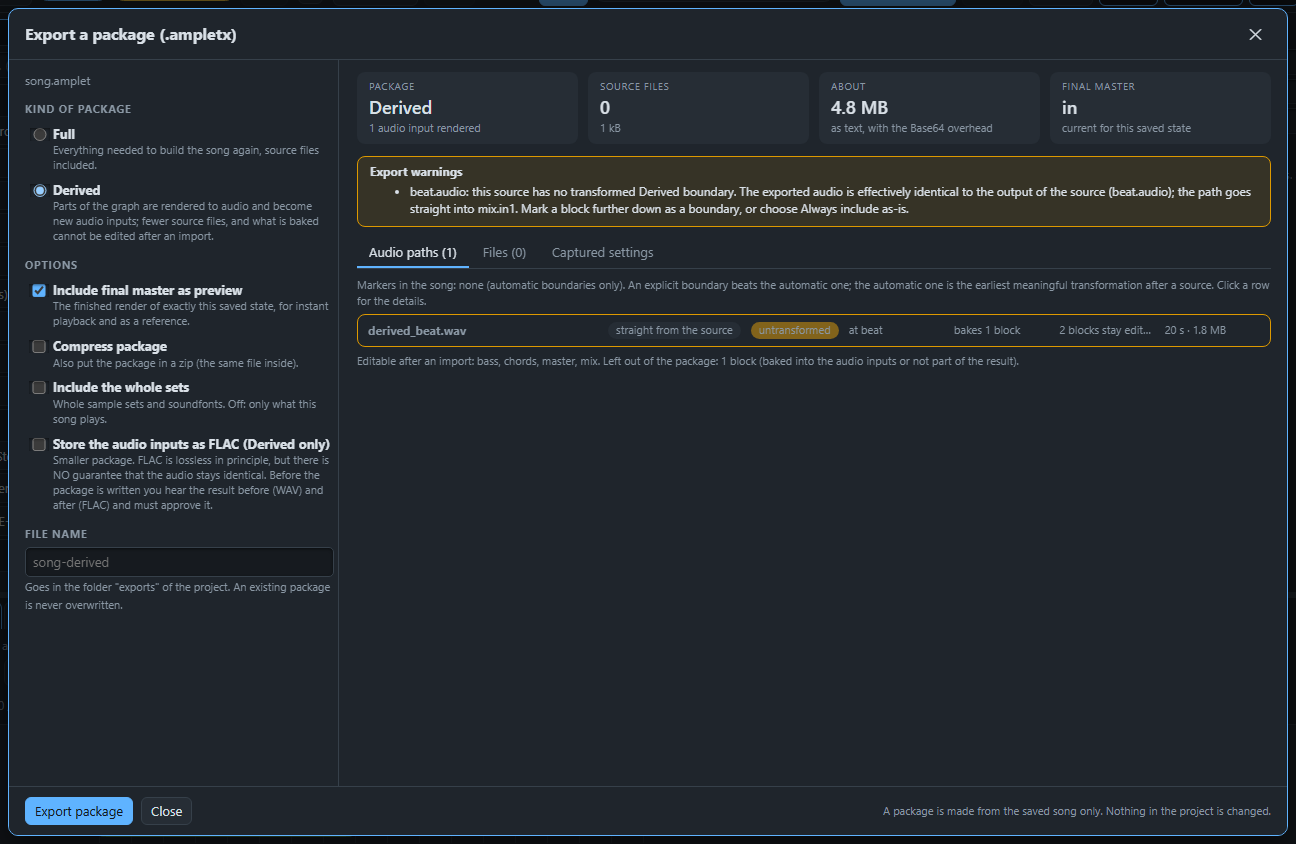
The window shows where the song is cut. By default AMPLE cuts after the first effect that really changes a sound. To choose the cut yourself, right-click a block and choose Bake to here for Derived export. To keep a source alive with its files, choose Always include as-is in Derived exports. All comments of the song stay in a Derived package.
Smaller audio with FLAC#
In a Derived package you can tick Store the audio inputs as FLAC. The package becomes much smaller. FLAC is lossless in principle, but nothing guarantees that the audio comes back exactly the same. So AMPLE does not decide for you:
- It sends every audio file through FLAC and back.
- It builds the song twice, once with the original audio (before) and once with the FLAC audio (after).
- You listen to both and see for each file whether it came back identical.
- Only when you press I listened: use FLAC and write the package the package is written.
Opening such a package needs ffmpeg on the computer. AMPLE checks the audio after decoding and tells you about any file that is different from the original.
Open and import a package#
Click a package in the file list to look inside without changing anything: what it is, which files it holds, and a preview of the finished song if it has one. Press Import… to make a project of it. AMPLE first shows what it would do: which files are already there, which can be reused, and what differs from your AMPLE. Nothing that exists is overwritten.
Next: Ask the AI assistant.