Page 17 of 20
Song text by example
Read and write the text of a song, from the smallest song to a chain with effects.
Every song is a text file, and it is worth being able to read it. This page goes from the smallest song to a longer one. Most of them work as they are. The ones with kit samples/kit need a folder of drum samples with that name; without the kit line the drums block plays its built-in sounds.
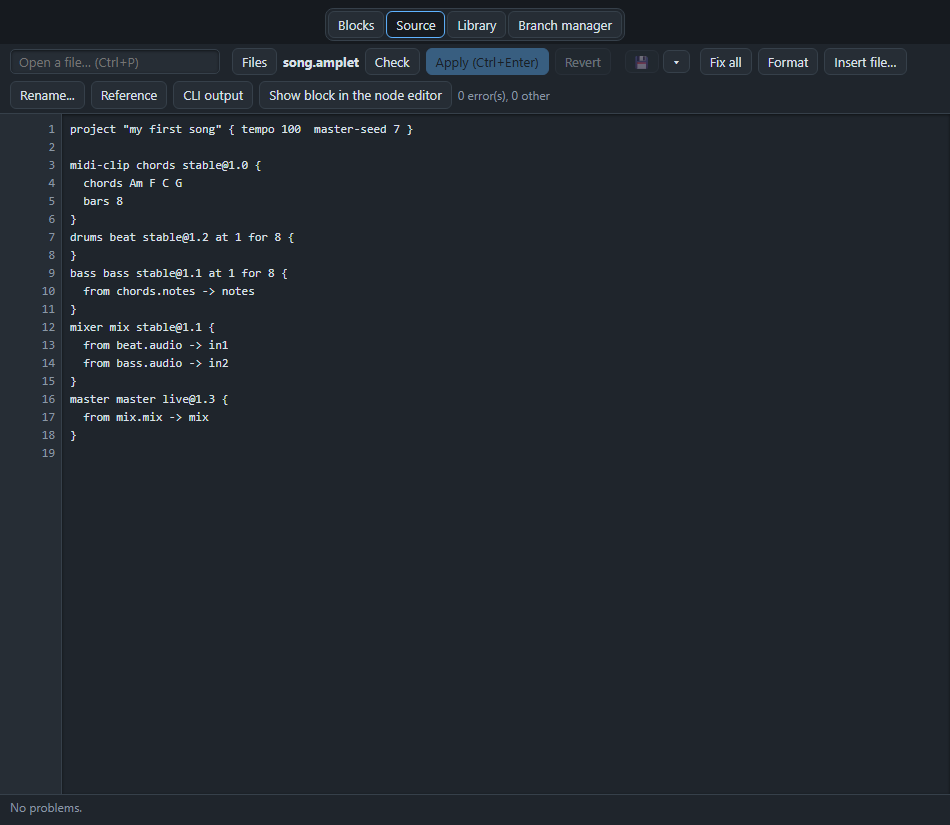
The shape of a block#
drums beat stable@1.2 at 1 for 8 {
  kit samples/kit
}
A block is: the kind (drums), its name (beat), a version tag (stable@1.2), where it is in time (at 1 for 8: from bar 1, for 8 bars), and then its settings between curly braces. Names have no spaces; use - or _.
Cables#
bass bass stable@1.1 {
  from chords.notes -> notes
}
A cable is written in the block that receives: from <block>.<output> -> <input>. This one says: the bass takes the notes output of the block chords into its own input called notes.
The smallest song#
project "tiny" { tempo 100  master-seed 1 }

midi-clip chords stable@1.0 {
  chords Am F C G
}
bass bass stable@1.1 {
  from chords.notes -> notes
}
mixer mix stable@1.1 {
  from bass.audio -> in1
}
master master live@1.3 {
  from mix.mix -> mix
}
The first line is the project: its name, the tempo and the master seed. The rest is four blocks and three cables. Chords go into a bass, the bass goes into the mixer, the mixer goes into the master.
Two parts, in time#
piano piano stable@1.0 at 1 for 8 as verse, 9 for 8 as chorus {
  from chords.notes -> notes
}
A block can play in several stretches, and each can have a name: verse in bars 1 to 8, chorus in bars 9 to 16.
A drum beat with sections#
drums beat stable@1.2 at 1 for 12 {
  kit samples/kit
  pattern kick:x...x...x...x... snare:....x.......x... hat:x.x.x.x.x.x.x.x.
  patterns verse=kick:x.......x....... snare:....x.......x... hat:x.x.x.x.x.x.x.x. / fill=kick:xxxxxxxxxxxxxxxx snare:x.x.x.x.xxxxxxxx hat:xxxxxxxxxxxxxxxx
  song verse*4 fill verse*4 fill
}
pattern is the plain beat; patterns names others; song strings them together. See Drums and patterns.
Notes written by hand#
midi-clip lead stable@1.0 at 1 for 4 {
  melody "a3:0.5 c4:0.5 e4:1 g4:0.5 e4:0.5 c4:1 a3:2"
}
A tune as note names and lengths in beats. See MIDI and notes.
An effect chain#
midi-clip harmony stable@1.0 at 1 for 16 {
  chords Am F C G Am F C G Am F C G Am F C G
}
bass line stable@1.2 at 1 for 16 {
  from harmony.notes -> notes
}
filter dull stable@1.0 {
  type lowpass
  cutoff 700 Hz
  from line.audio -> in
}
delay echo stable@1.0 {
  time 375 ms
  feedback 35%
  mix 28%
  from dull.out -> in
}
reverb room stable@1.0 {
  size 45%
  decay 50%
  mix 22%
  from echo.out -> in
}
A bass through a low-pass filter, a delay and a reverb. Each effect takes what the one before gives it. See Effects.
Fading out at the end#
volume ending stable@1.0 {
  from line.audio -> in
  gain fadeout(7, 6s, exp)
}
The bass (from the effect chain above) fades to silence over six seconds, starting at bar 7. See Fades.
Autocomplete#
The Source view helps you type. While you type, AMPLE shows its best guess in grey, right after the cursor. Press Tab to take it.
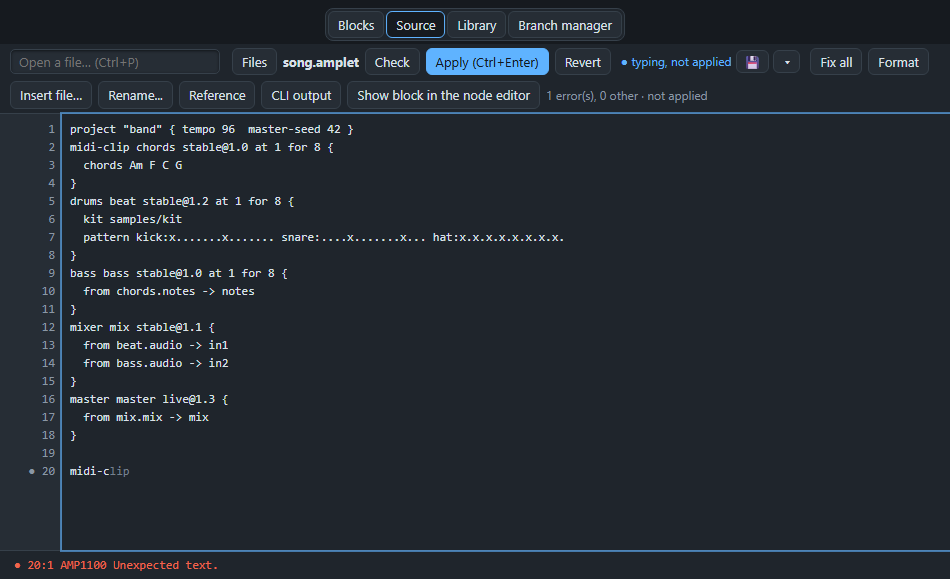
Ctrl+Space opens the list of everything that fits at the cursor. Choose with the arrow keys, take it with Enter or Tab, and close it with Esc.
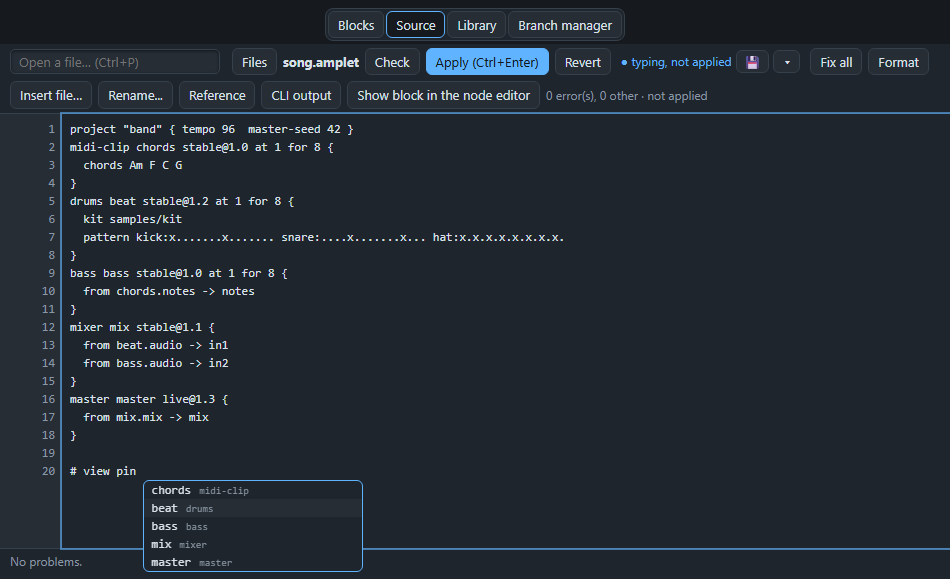
Esc also hides the grey guess. It stays away on that line until you start typing on another line, or type a space or delete one. Ctrl+Space brings it back at once.
What it can complete, depending on where the cursor is:
- Block kinds on a new line (
drums,midi-clip, ...). Taking one writes the whole block with its parameters filled in. - The tag after the name:
stable@,pinned@orlive@; and thenatandforafter the tag. - Settings inside a block: the names of the settings that block has and does not have yet, and
from. - The values of a setting that has a fixed list of choices, such as the loudness target of the master (
-14 LUFS). - Cables: after
fromthe other blocks, after the dot the outputs of that block, after->the inputs of this one. - The layout lines the studio keeps at the end of the song: after
# viewthe wordsgroup,sizeandpin, and aftersizeorpinthe blocks.
A few habits#
- A line that starts with
#is a comment: a note for yourself that AMPLE ignores. - Indentation does not matter to AMPLE, but two spaces inside the braces make it easy to read. Format in the Source view tidies it.
- Check in the Source view lists the problems of the text; lines with problems are underlined.
- The complete examples of the project are in the folder
docs/examples: a hello song, a remix, a lyrics song, an effects showcase, a drum map, fades, sections and a sequencer. Open one and read it from top to bottom.
You can now read the text of a song. Ready for a whole one? Build a full band song in Make a song: Rooftop Light. To look up a word, use the dictionary.